



Call Forwarding Scam
Fraudsters are using phone star codes to secretly redirect your incoming calls, giving them access to verification codes and your accounts. Learn how this scam works and the steps you can take to protect yourself.
.png)
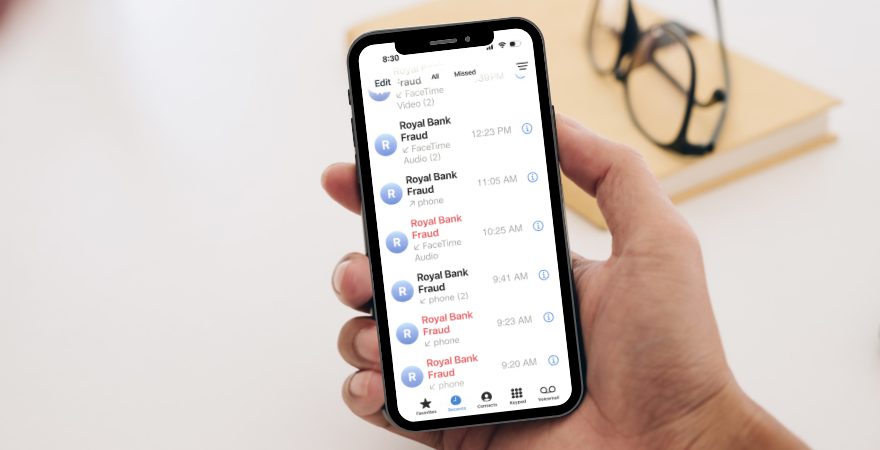
A sophisticated cell phone scam is circulating that has the potential to give criminals direct access to your incoming calls, including important security verifications from your financial institutions. Known as the Call Forwarding scam, which uses the *72 or *21 call forwarding phone feature, this tactic relies on urgency, confusion, and a seemingly harmless request.
How the Scam Works
A scammer reaches out while impersonating a trusted source, such as your bank. The caller ID may even say that it’s the bank’s Fraud Department or lists the name of the business. They sound legitimate and often create a sense of urgency, claiming there is suspicious activity on your account or that immediate action is required to secure your identity. Then comes the key step, they instruct you to enter *72 or *21 + a 10-digit number.
They will not call it a cell phone number. Instead, they may describe it as a verification code, security code, case number, authorization number or safe-line activation code. But in reality, entering *72 or *21 followed by any cell phone number activates call forwarding on many phone systems. This means all your incoming calls are silently redirected straight to the scammer.
Once call forwarding is active, the fraudster can intercept calls meant for you, allowing scammers to:
Because many security systems still rely on cell phone-based verification, this single step can bypass multiple layers of protection.
Warning Signs to Watch For
Be cautious if someone pressures you to act immediately, gives you a code that begins with *72, *21, or similar star codes, refuses to let you hang up and call back independently, insists the digits are not a phone number or tells you to keep the instructions secret. Never enter a code from an unsolicited caller. Remember, Royal Bank will NEVER ask for:
If You Already Dialed *72
Don't panic, but act quickly:
Scammers are always evolving their tactics, but awareness is a powerful defense. If something feels suspicious or out of place, it’s always worth taking a moment to verify.
If you have concerns or believe you may have been targeted, reach out to the bank right away. And please help spread the word, sharing this information with friends, family, and coworkers can prevent others from becoming victims.